
 Join Slack
IP Address Management (IPAM)
Netris IPAM allows users to document their IP addresses and track pool usage. It is designed to have a tree-like view to provide opportunity to perform any kind of subnetting.
Purpose: Users define specific roles(purpose) for each subnet/address and only after that are allowed to use those subnets in services like V-Net, NAT, etc…
Allocations and Subnets
There are 2 main types of IP prefixes - allocation and subnet. Allocations are IP ranges allocated to an organization via RIR/LIR or private IP ranges that are going to be used by the network. Subnets are prefixes which are going to be used in services. Subnets are always childs of allocation. Allocations do not have parent subnets.
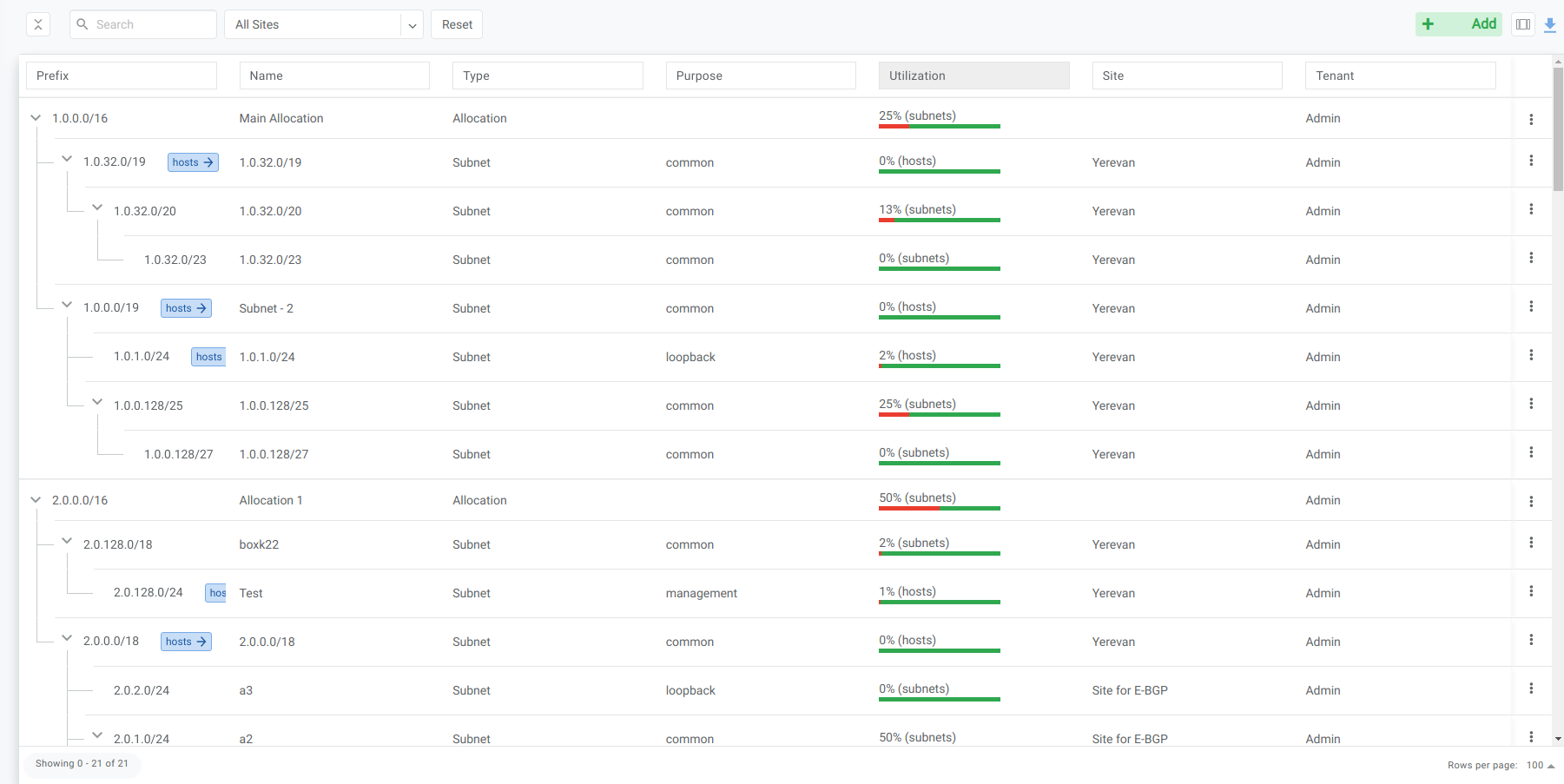
IPAM Tree View
Subnet purpose and service dependencies
Netris models address space first and consumes it second: you create an IPAM subnet with the right purpose before the service that will use it. A service only offers addresses from subnets whose purpose matches, so the IPAM entry is a prerequisite, not an afterthought.
Purpose |
Required for |
Typical VPC |
|---|---|---|
|
A V-Net’s Layer-3 gateway (SVI), and the address pool DHCP hands out. For a multi-site V-Net, create the subnet and assign it to every site the V-Net spans before adding the gateway. |
Tenant VPC |
|
Loopback IPs for Netris hardware (switches, SoftGates). |
System VPC |
|
Out-of-band management IPs for switches and SoftGates; a management-purpose subnet also drives ZTP. (Since 4.9, management subnets can also be used in V-Nets and VPCs.) |
System VPC |
|
L4 Load Balancer frontend VIP pool. |
System VPC |
|
NAT public addresses (SNAT pools and DNAT targets). |
System VPC |
|
Nothing — reserve or document a prefix for future use. |
— |
See the V-Net, L4 Load Balancer, NAT, and DHCP and DHCP Relay pages for how each service consumes its subnet, and Netris VPC for why loopback, management, load-balancer, and nat subnets live in the System VPC.
Add an Allocation
Navigate to Net→IPAM
Click the Add button
Select Allocation from the bottom select box
Fill in the rest of the fields based on the requirements listed below
Click the Add button
Name |
Unique name for current allocation. |
Prefix |
Unique prefix for allocation, must not overlap with other allocations. |
Tenant |
Owner of the allocation. |
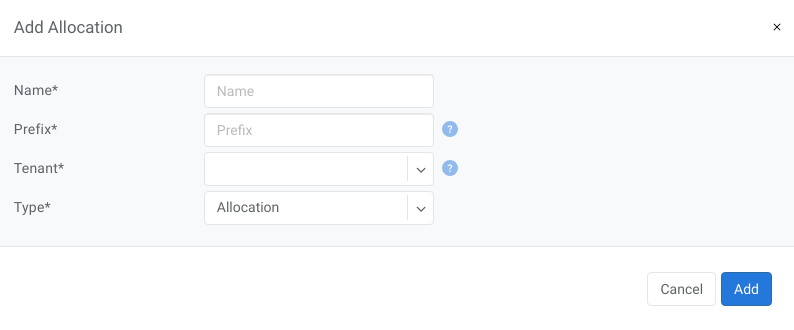
Add Allocation Window
Add a Subnet
Navigate to Net→IPAM
Click the Add button
Select Subnet from the bottom select box
Fill in the rest of the fields based on the requirements listed below
Click the Add button
Name |
Unique name for current subnet. |
Prefix |
Unique prefix for subnet, ust be included in one of allocations. |
Tenant |
Owner of the subnet. |
Purpose |
This field describes for what kind of services the current subnet can be used. It can have the following values:
|
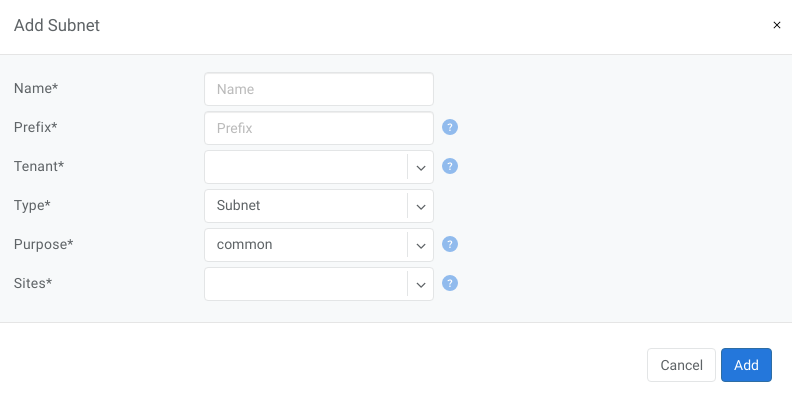
Add Subnet Window