
 Join Slack
Looking Glass
The Looking Glass is a GUI-based tool for looking up routing information from a switch or SoftGate perspective. You can access the Looking Glass either from Topology, individually for every device (right click on device → details → Looking Glass), or by navigating to Network → Looking Glass then selecting the device from the top-left dropdown menu.
Looking Glass controls described for IPv4/IPv6 protocol families.
VPC - select a VPC.
BGP Summary - Shows the summary of BGP adjacencies with neighbors, interface names, prefixes received. You can click on the neighbor name then query for the list of advertised/received prefixes.
BGP Route - Lookup the BGP table (RIB) for the given address.
Route - Lookup switch routing table for the given address.
Traceroute - Conduct a traceroute from the selected device towards the given destination, optionally allowing to determine the source IP address.
Ping - Execute a ping on the selected device towards the given destination, optionally allowing to select the source IP address.
Example: listing BGP neighbors of a switch and number of received prefixes for the Underlay VPC.
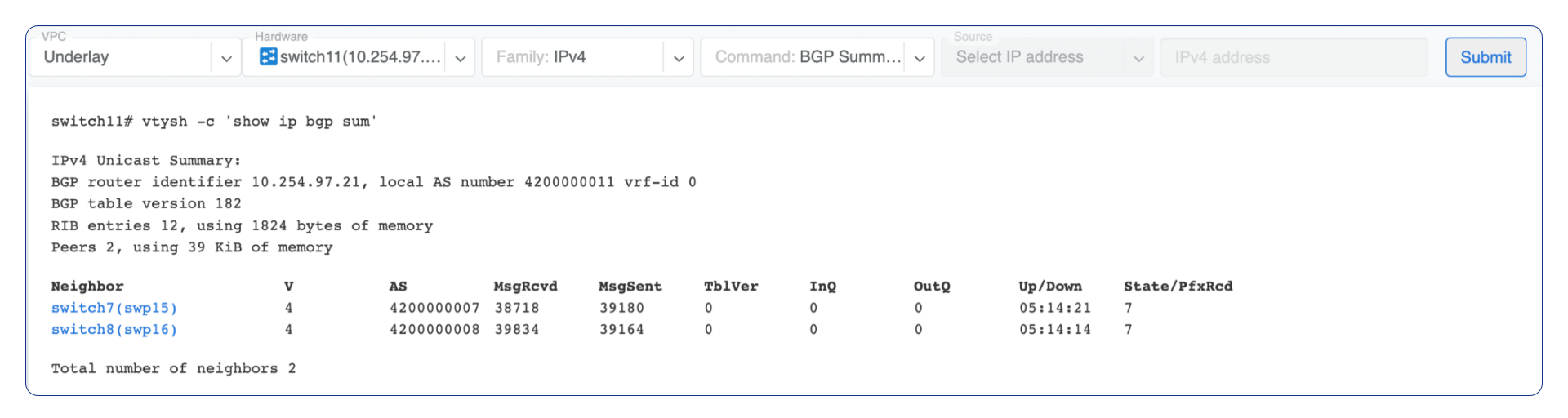
Figure: Looking Glass BGP summary
Example: BGP Route - looking up V-Net subnet from switch11 perspective. Switch11 is load balancing between four available paths.
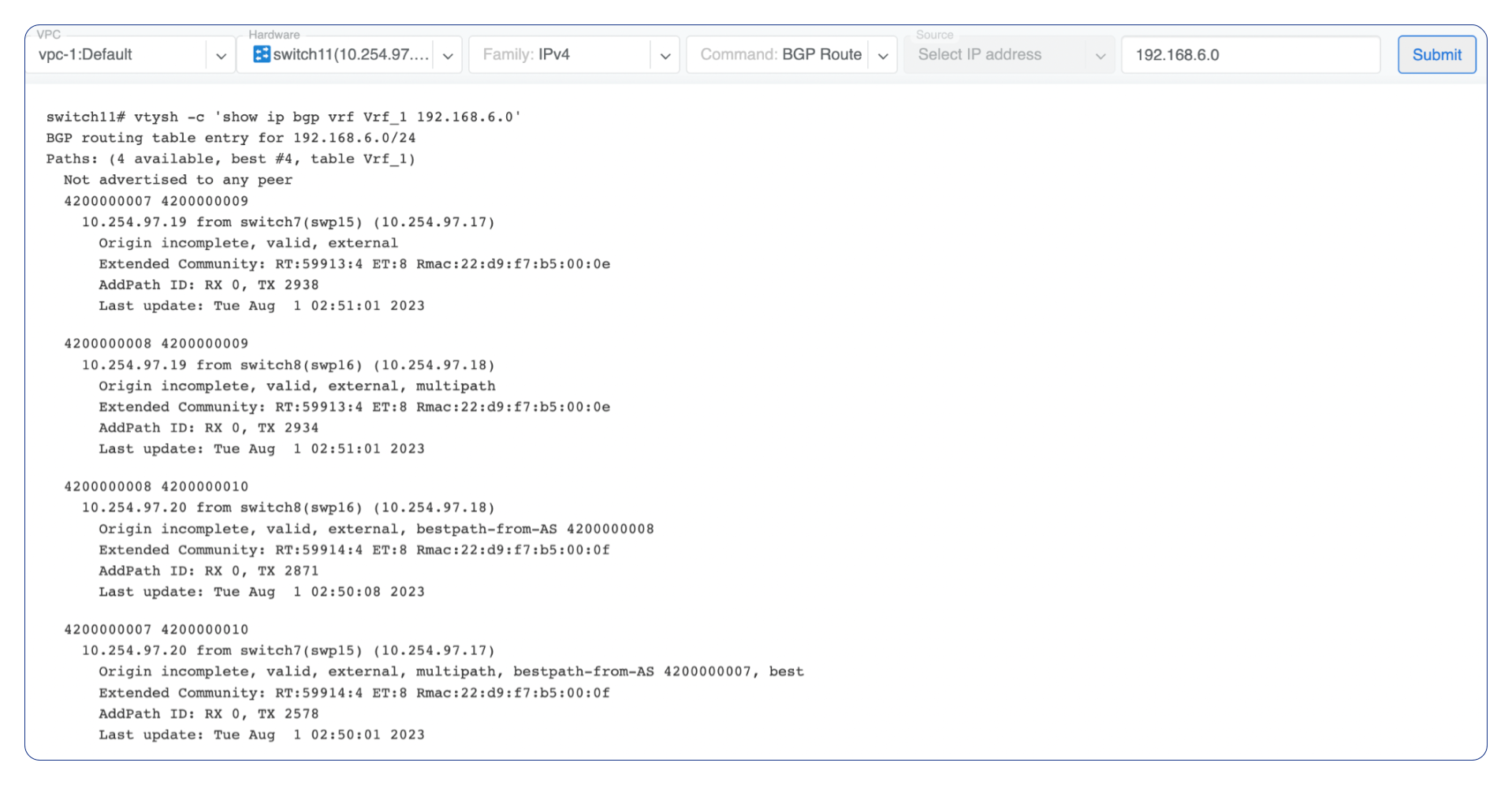
Figure: Looking Glass BGP route
Example: Ping.
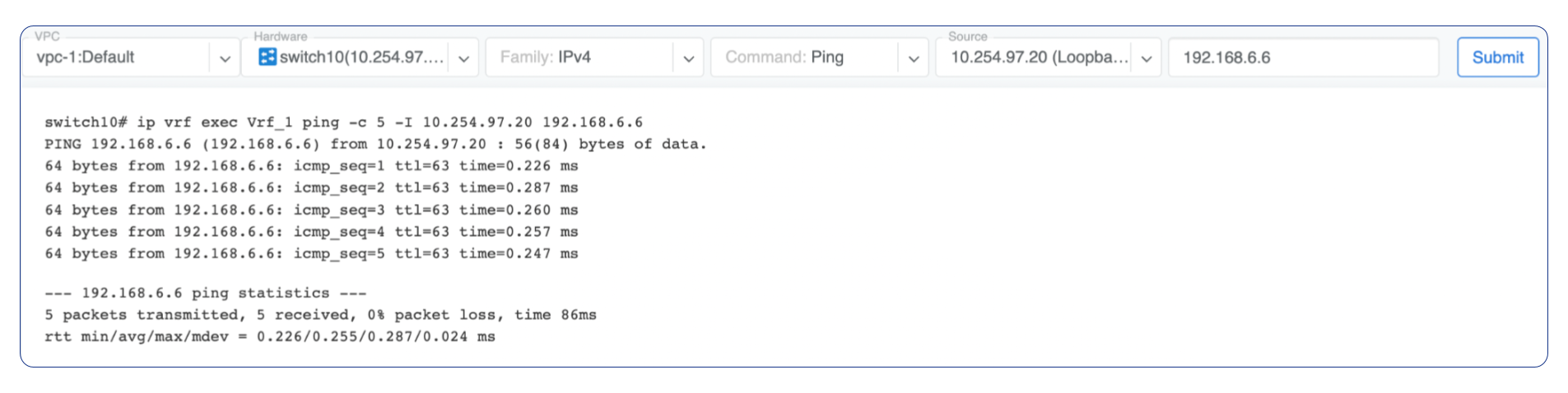
Figure: Looking Glass ping
Looking Glass controls described for the EVPN family.
VPC - select a VPC.
BGP Summary - Show brief summary of BGP adjacencies with neighbors, interface names, and EVPN prefixes received.
VNI - List VNIs learned.
BGP EVPN - List detailed EVPN routing information optionally for the given route distinguisher.
MAC table - List MAC address table for the given VNI.
Example: Listing MAC addresses on VNI 50.

Figure: Looking Glass MAC table
Example: EVPN routing information listing for a specified route distinguisher.
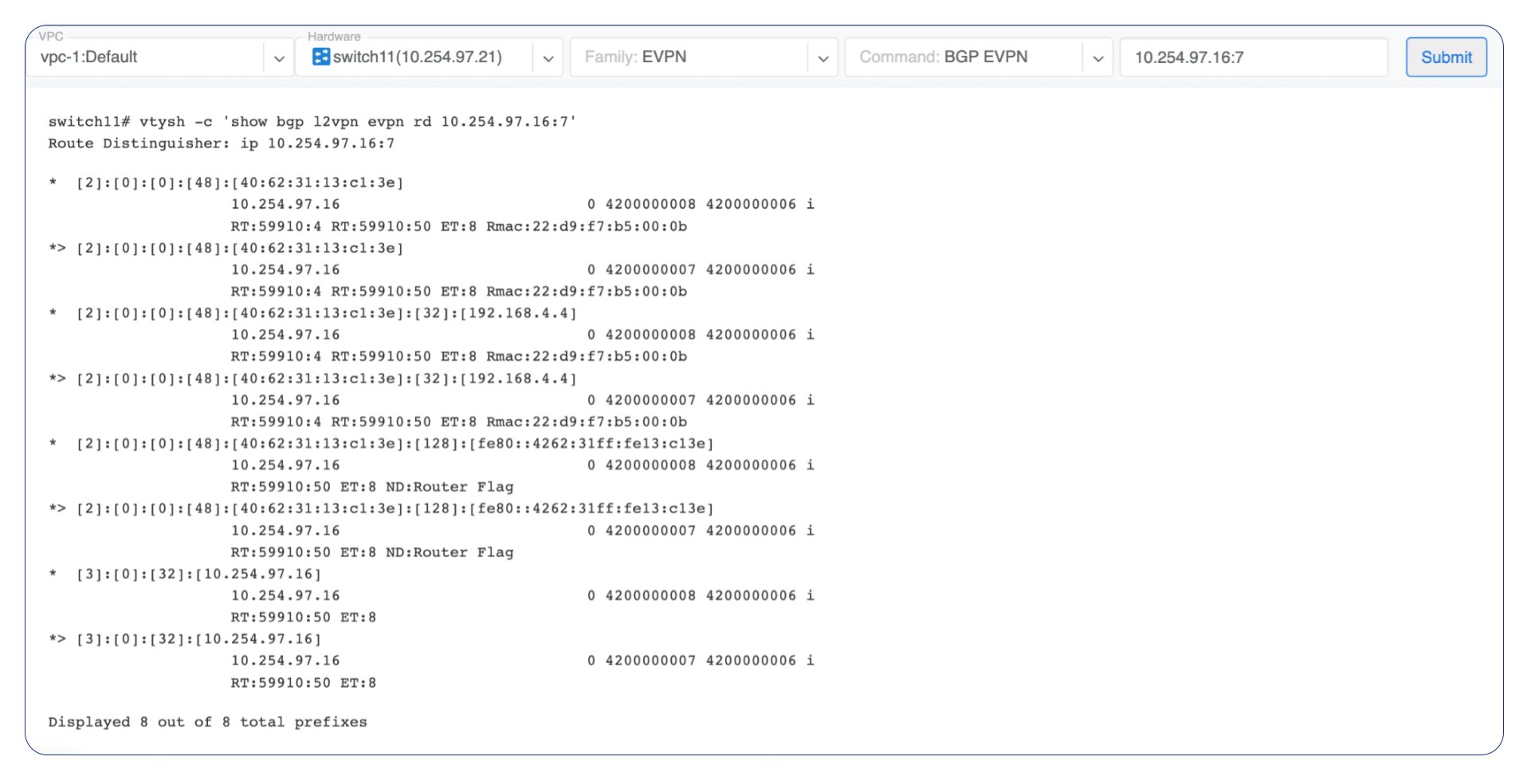
Figure: Looking Glass EVPN route distinguisher