
 Join Slack
Static Routing
Located under Network → Routes is a method for describing static routing policies that Netris will dynamically inject on switches and/or SoftGate where appropriate. We recommend using the Routes only if BGP is not supported by the remote end.
Typical use cases for static routing:
To connect the switch fabric to an ISP or upstream router in a situation where BGP and dual-homing are not supported.
Temporary interconnection with the old network for a migration.
Routing a subnet behind a VM hypervisor machine for an internal VM network.
Specifically routing traffic destined to a particular prefix through an Out-of-Band management network.
Add new static route fields description:
Prefix - Route destination to match.
Next-Hop - Traffic destined to the Prefix will be routed towards the Next-Hop. Note that static routes will be injected only on units that have the Next-Hop as a connected network.
Description - Free description.
VPC - Select a VPC to which the static route belongs.
Site - Site where Route belongs.
State - Administrative (enable/disable) state of the Route.
Apply to - Limit the scope to particular units. It’s typically used for Null routes.
Example: Default route pointing to a Next-Hop that belongs to one of V-Nets.
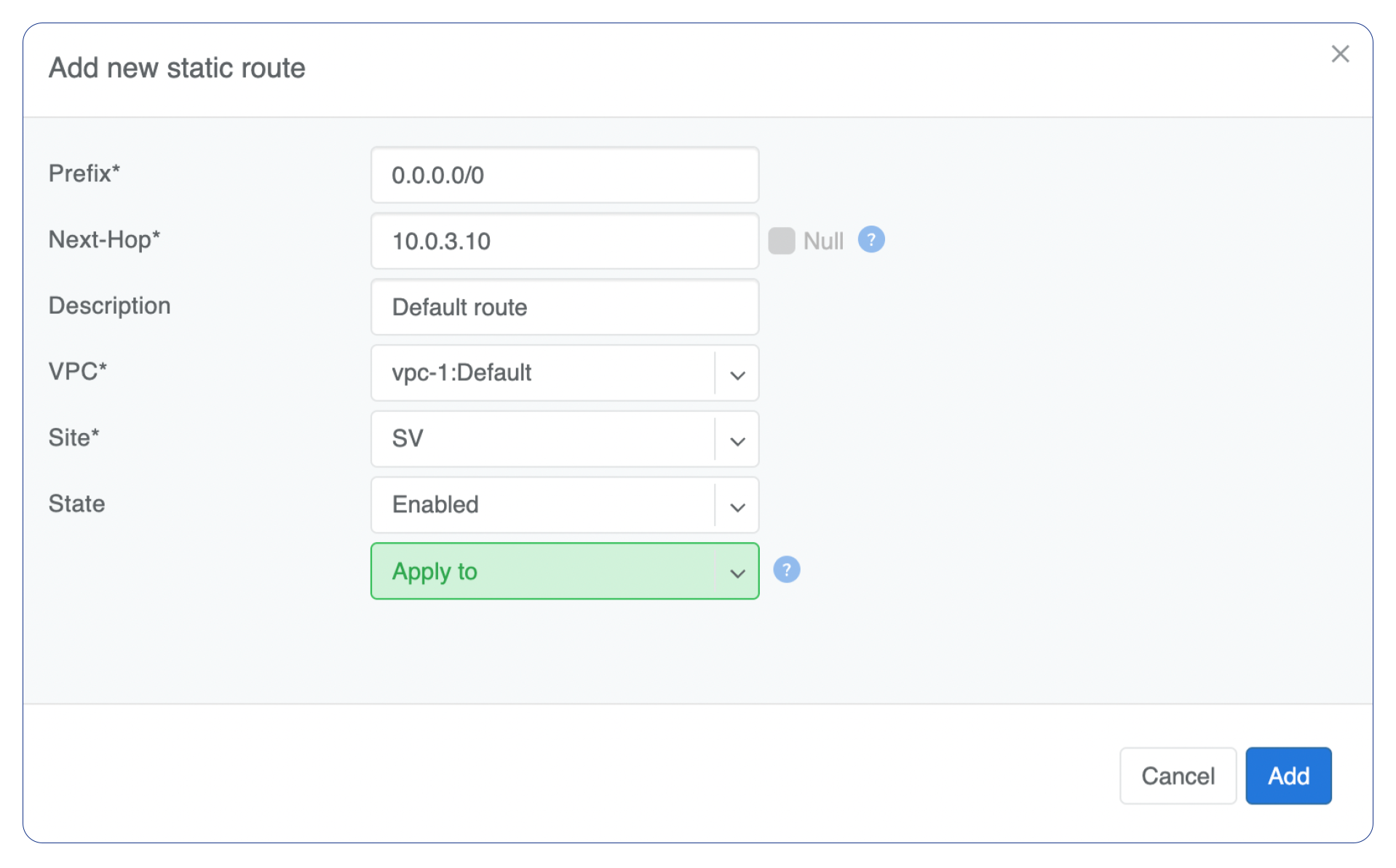
Figure: Static route - default route
Example: Adding a back route to 10.254.0.0/16 through an Out-of-Band management network.
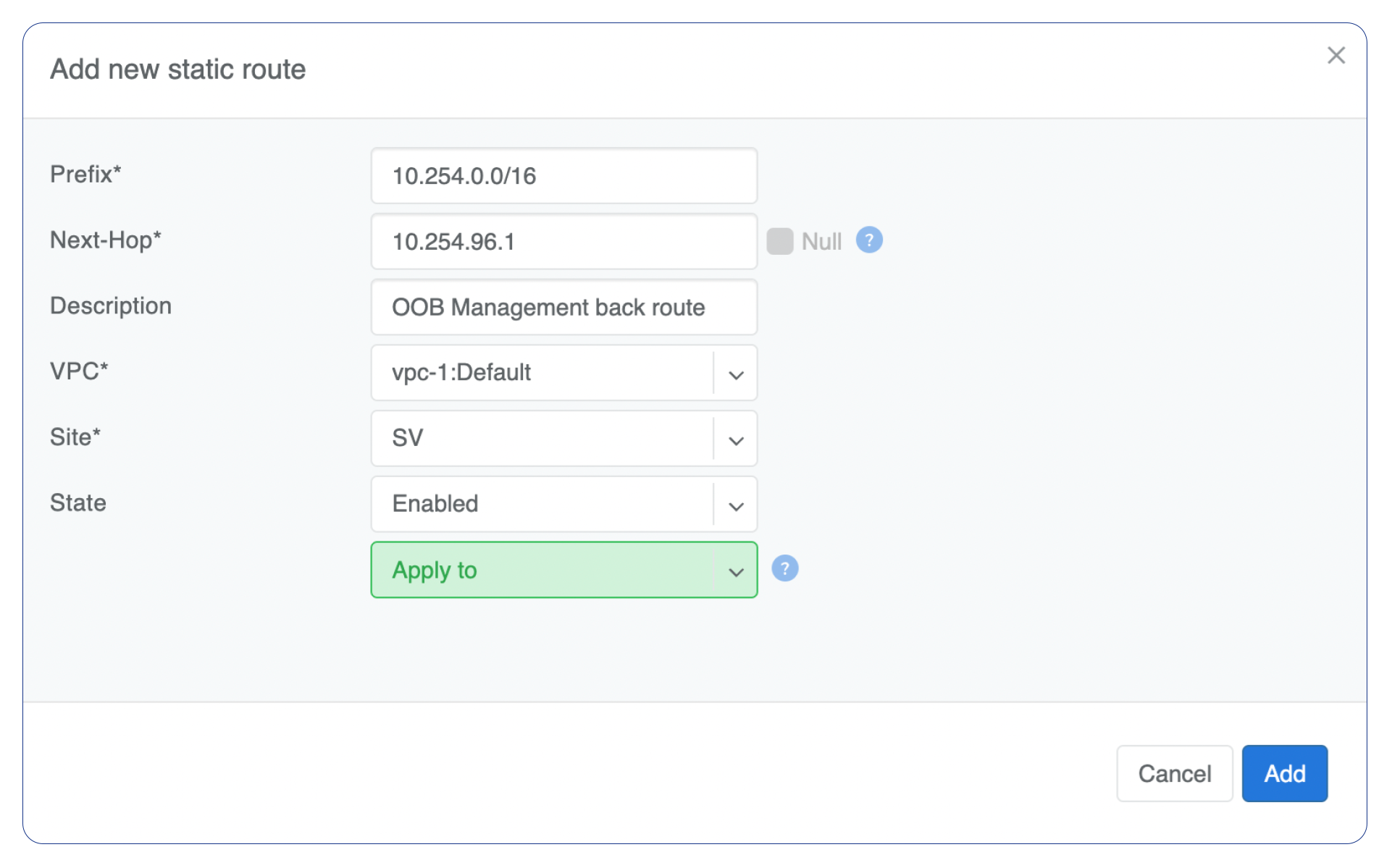
Figure: Static route - back route via OOB
Screenshot shows that the back route is actually applied on Softgate1 and Softgate2.

Figure: Static route applied on SoftGates