 Join Slack
NVIDIA NetQ Integration
NVIDIA® NetQ™ is a network operations tool set that provides visibility into overlay and underlay networks, enabling real-time troubleshooting across the entire data center stack — from container, virtual machine, or host, down to the switch and port. NetQ correlates configuration and operational status, tracks state changes, and delivers streaming telemetry for hardware-accelerated detection of data plane anomalies and intermittent network issues. It is purpose-built for NVIDIA Cumulus Linux environments running on NVIDIA Spectrum Ethernet platforms.
Netris includes built-in monitoring and observability across the networks it manages. For operators running NVIDIA NetQ alongside Netris, Netris serves as the authoritative source of topology — and can export the complete, modeled network topology as a Graphviz .dot file. This file can be imported directly into your NetQ instance to create topology validation jobs, enabling NetQ to verify that the physical network matches the intended design. To learn more about NetQ topology validations, see the NVIDIA NetQ documentation.
Topology Blueprint Activation
NetQ topology validation requires a blueprint defined in Graphviz .dot format. Netris is the authoritative source of topology for all networks it manages, and provides built-in export functionality that generates a .dot file formatted for direct import into NVIDIA NetQ.
In the Netris controller, navigate to Network→Topology, select the appropriate site (datacenter), click Export and select NVIDIA NetQ — the web browser will download a .dot file.
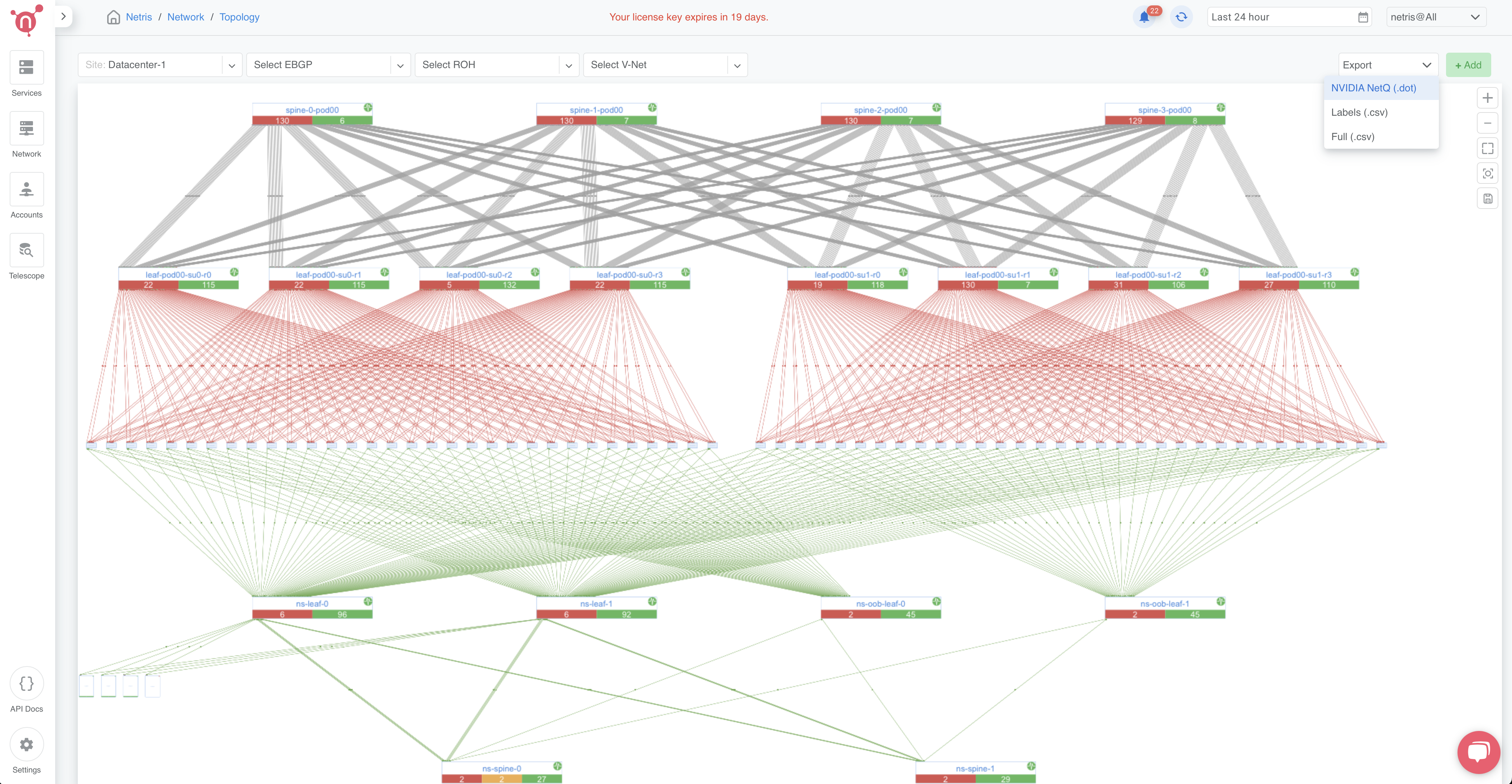
Figure: Export topology as NetQ blueprint
Upload the newly generated .dot file into the NVIDIA NetQ. Navigate to Validation, Create a validation, Run on all switches, Topology, and click Upload Blueprint file.
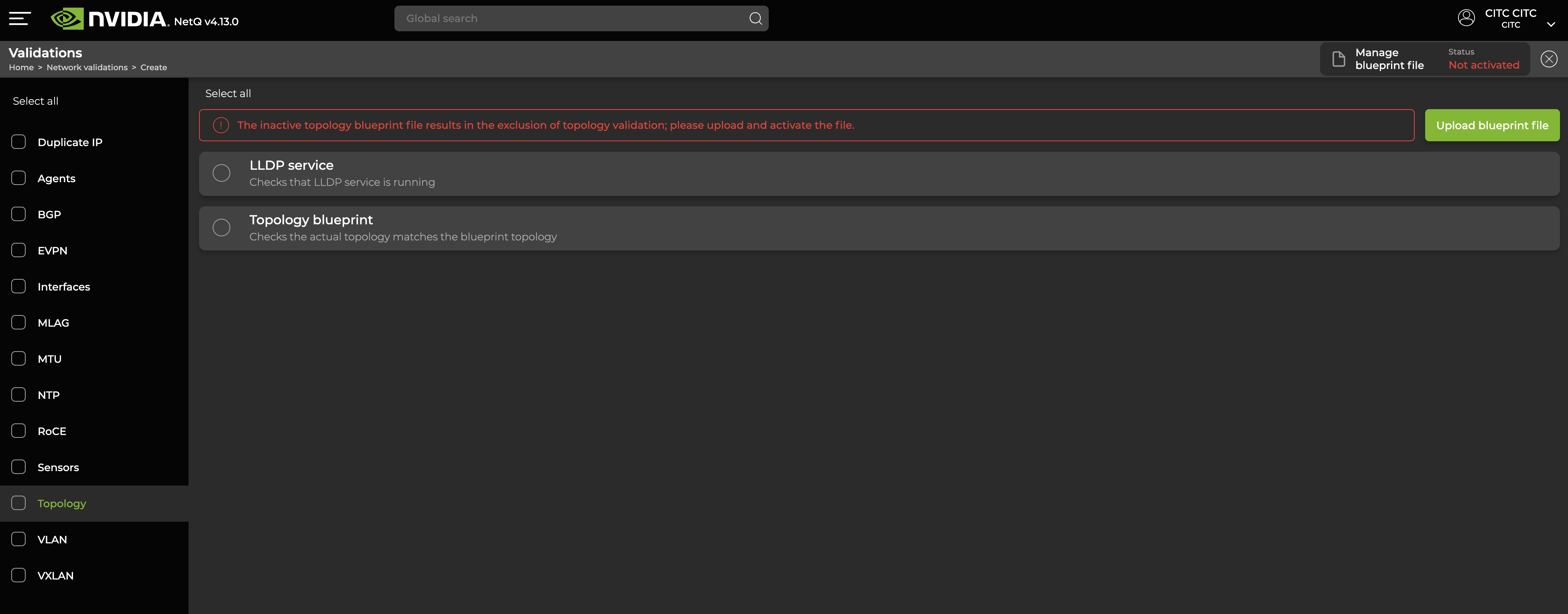
Figure: NetQ create validation step 1
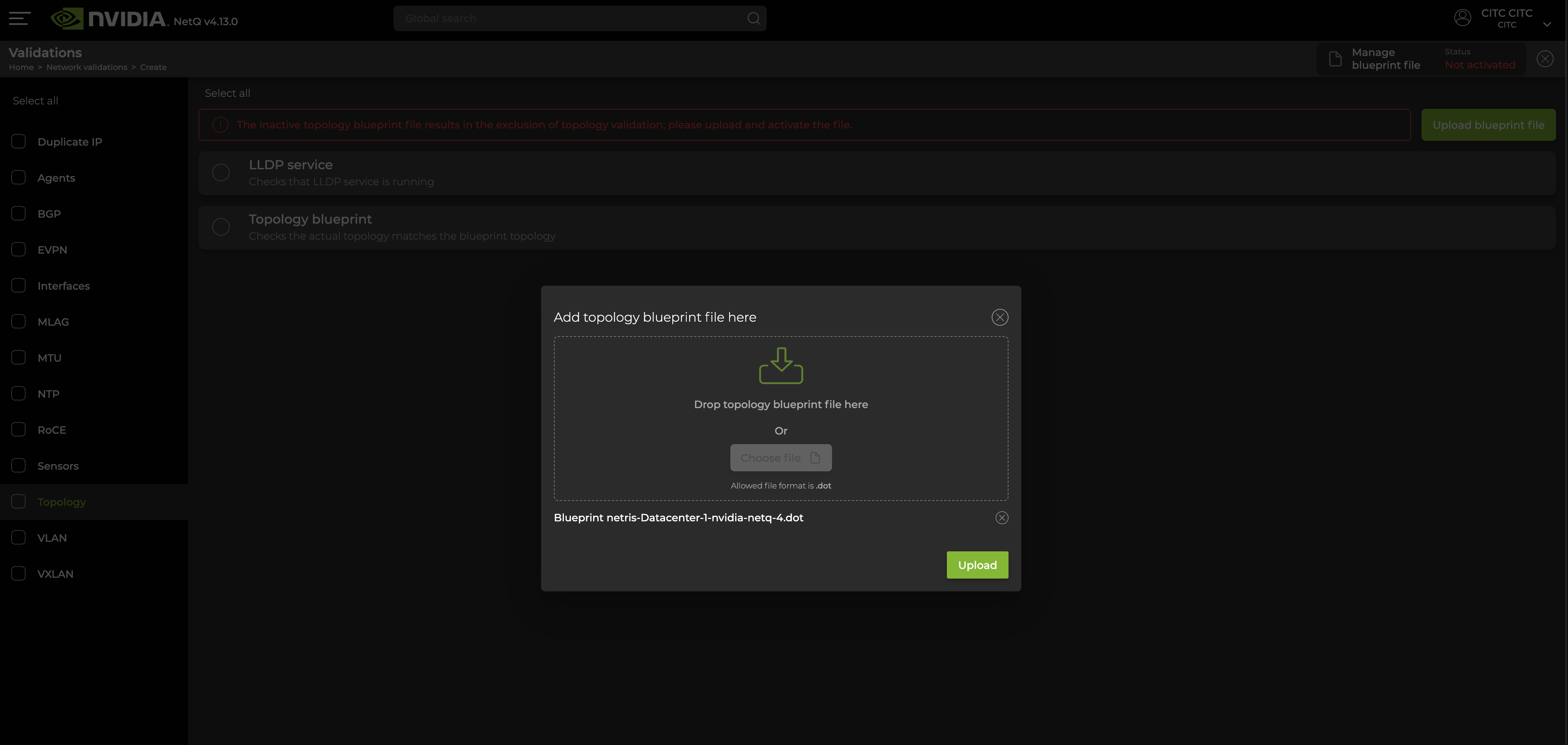
Figure: NetQ create validation step 2
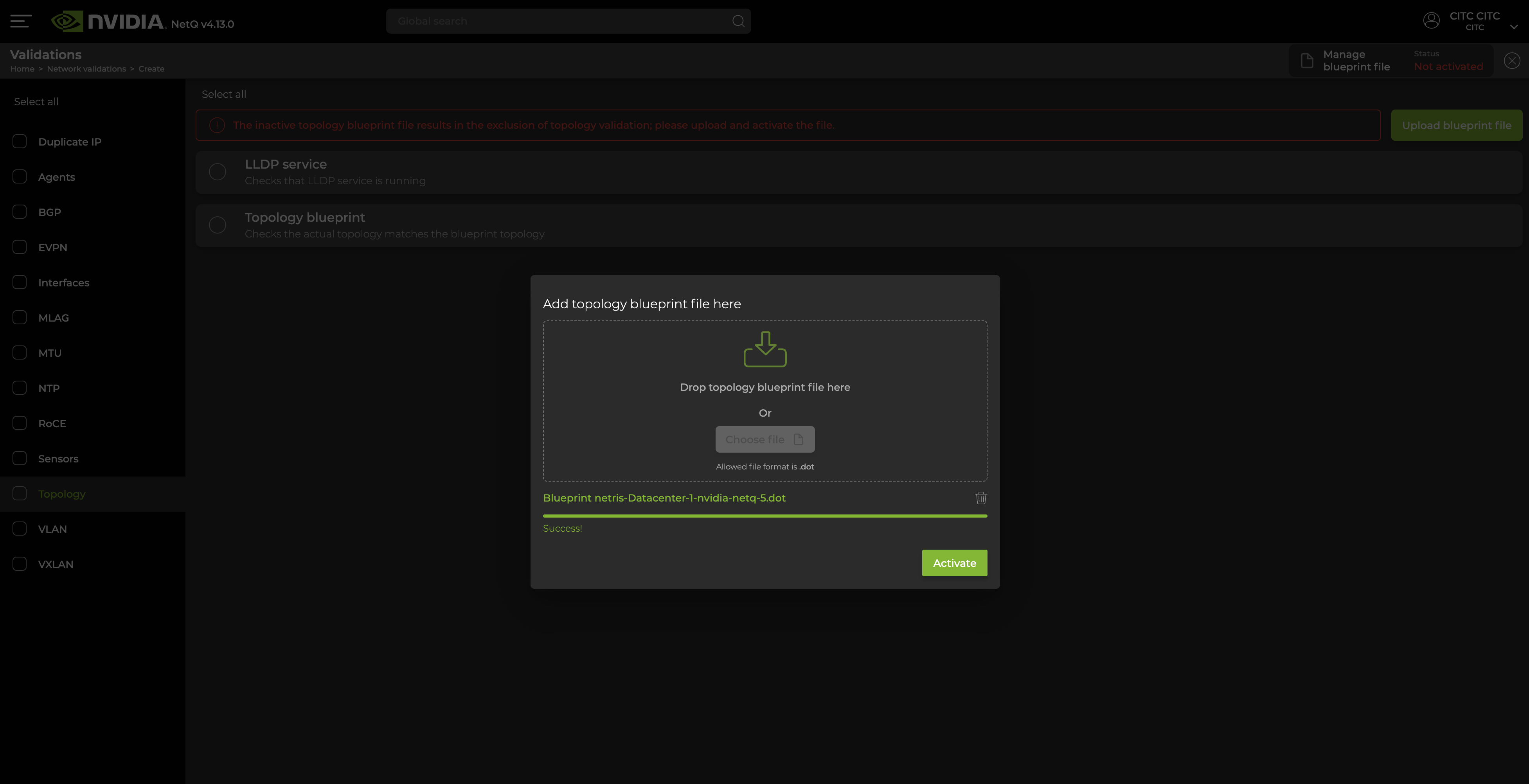
Figure: NetQ create validation step 3
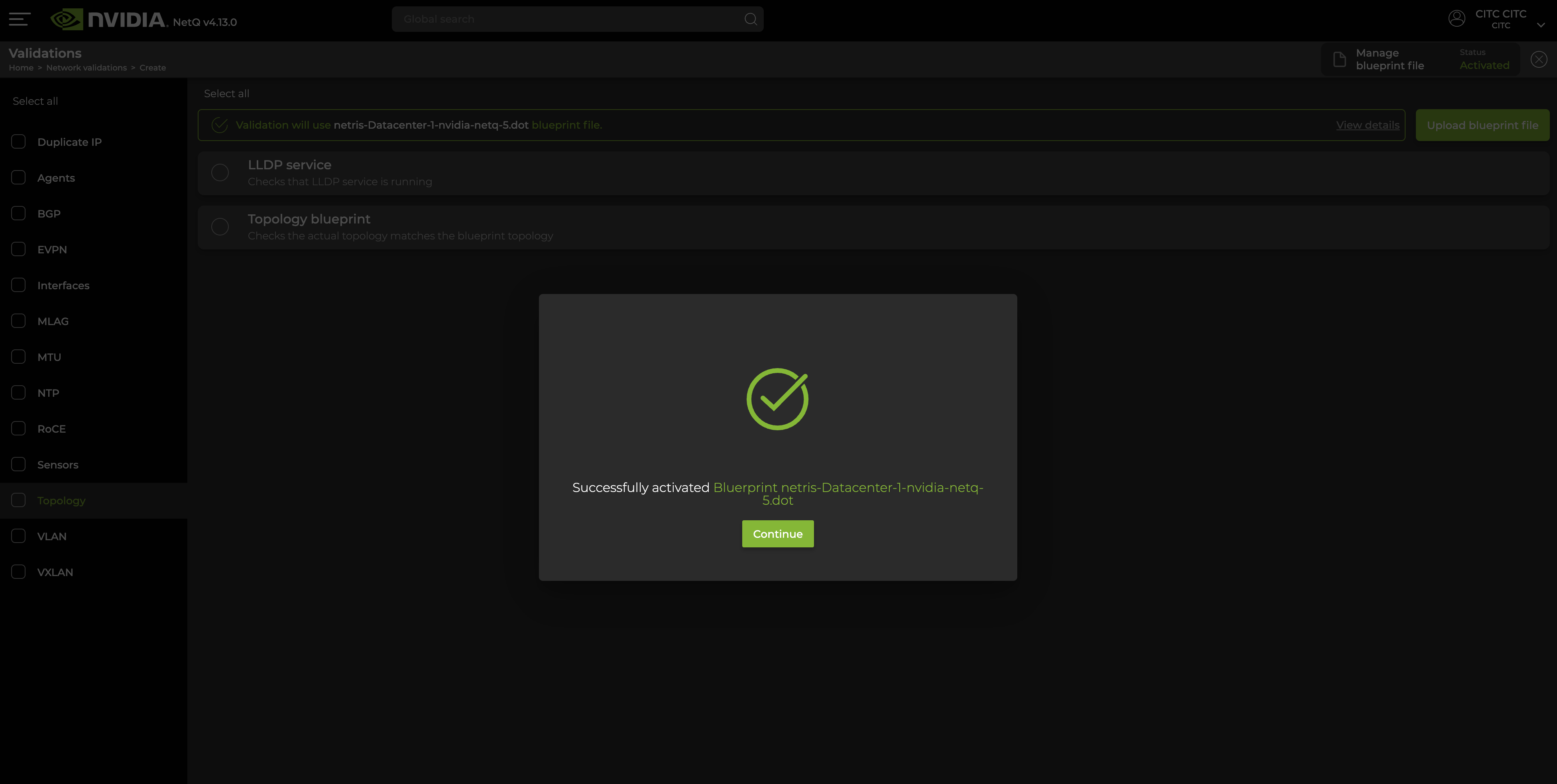
Figure: NetQ create validation step 4
When you see the Blueprint successfully activated, your NVIDIA NetQ is aligned with the Netris topology and ready for further operation.